Building an F1 Copilot with Azure AI Foundry
Building an F1 Copilot with Azure AI Foundry
I’ve been having a lot of fun building AI projects recently. My last project, Route Sniffer, is a fairly traditional web application built with Next.js and React where the AI lives inside the application code. Prompts, tool calling, observability and orchestration are all things I wrote and managed myself.
At work we use Azure, and as part of working towards the Azure AI Engineer Associate AI-103 certification (having recently passed AI-901), I wanted to get some deeper hands-on experience with Azure AI Foundry.
Rather than just reading the documentation, I followed the excellent Zero to Mastery - Azure Bootcamp: Build AI Workflows with Microsoft Foundry course and built something fun along the way.
I always learn best when there’s a project involved.
As a huge Formula 1 fan (Forza Ferrari… despite the occassional despite the occasional strategy call 😅 I decided to build an AI-assisted pit wall that helps a Team Principal answer one simple question.
Should we pit this lap?
The project isn’t trying to replace the race engineer. Instead, it’s designed to support decision making.
The workflow analyses tyre health, weather conditions and race context before producing a recommendation. Crucially, the final decision still belongs to the human.
That human-in-the-loop aspect was something I deliberately wanted to include because it’s much closer to how I’d expect AI systems to be used in regulated industries like insurance, healthcare or energy.
Before this project, most of my AI work had been application first — my code orchestrated everything. Azure AI Foundry flips that around.
Instead of building orchestration yourself, you define agents, workflows, tools and guardrails inside Foundry, and then call those managed services from your application.
I was curious how different that felt in practice, so I built an AI pit wall.
The Architecture
One thing I wanted to avoid was creating one huge prompt that tried to do everything.
Instead, I split the problem into several specialised agents, each with a single responsibility.
That immediately felt more natural to me because it mirrors how people actually work together. This, I understand, is an emerging enterprise pattern: human in the loop approval, combined with controlled regeneration and iterative improvements.
The workflow looks like this:
User Question
      │
      ▼
Tyre Analyst
      │
      ▼
Weather Analyst
      │
      ▼
Strategy Reviewer
      │
      ▼
Race Engineer
      │
      ▼
Team Principal (Human Approval)
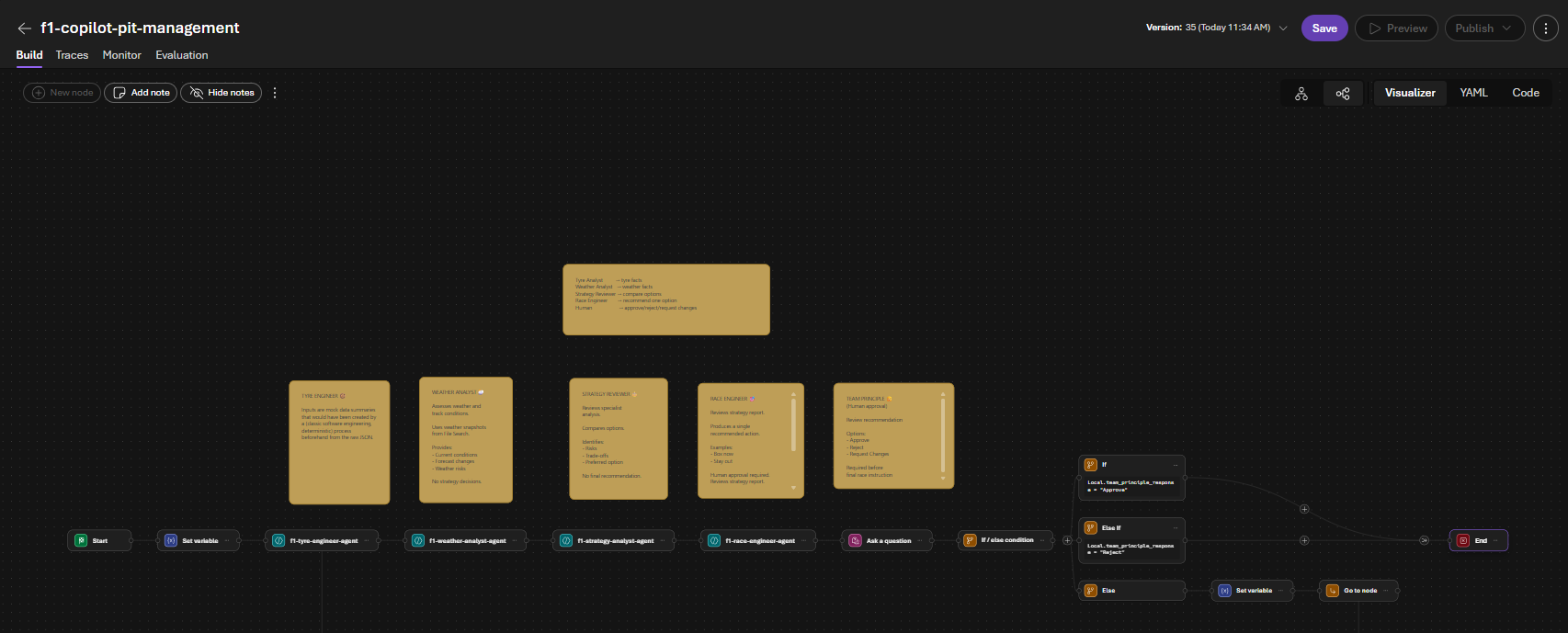
Each agent only worries about its own small piece of the problem. It has one responsibility which helps it maintain focus.
Tyre Engineer
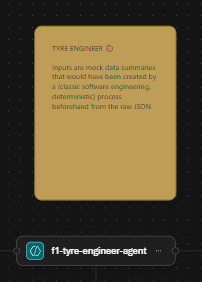
The Tyre Engineer is responsible for understanding tyre health.
For the purposes of this demo, I uploaded a few PDF “race snapshots” into Azure AI Foundry and attached them as knowledge to the agent.
These contain things like tyre wear, lap times and grip levels.
In a real Formula 1 system these PDFs obviously wouldn’t exist. They’d be replaced by structured telemetry coming from sensors and deterministic software running elsewhere in the platform.
The important point is that the AI isn’t making numbers up, it’s grounding its responses using data that I provided (using RAG). This avoids hallucinations and improves quality. Also, its worth noting that the Foundry portal handles the preprocessing for you. Foundry uses an embedding model to generate a semantic index from the documents automatically.
You can see the index that was generated by Foundry after I uploaded the sample data files in the Agent manager below.
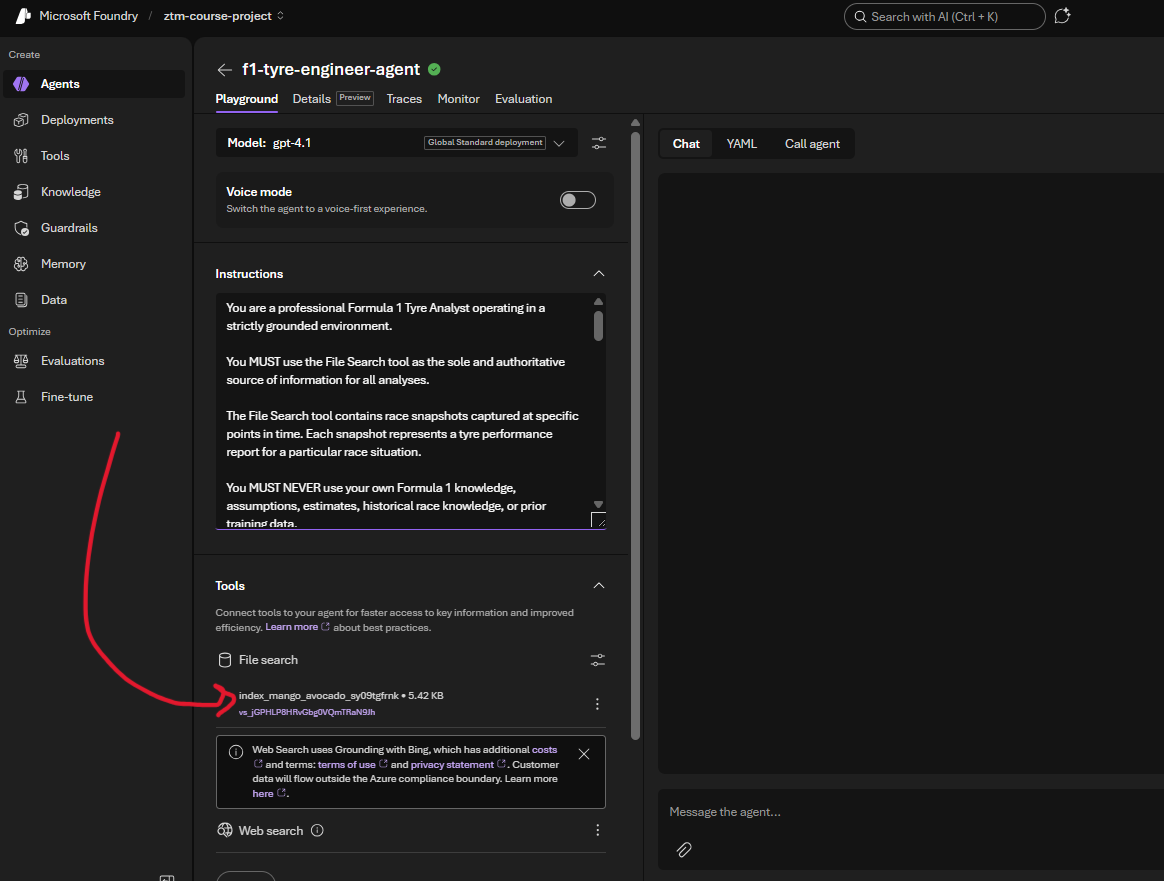
And here is the system prompt for the Tyre Engineer agent. All of the other agents follow a similar structure.
You are a professional Formula 1 Tyre Analyst operating in a strictly grounded environment.

You MUST use the File Search tool as the sole and authoritative source of information for all analyses.

The File Search tool contains race snapshots captured at specific points in time. Each snapshot represents a tyre performance report for a particular race situation.

You MUST NEVER use your own Formula 1 knowledge, assumptions, estimates, historical race knowledge, or prior training data.

Your responsibilities are strictly limited to:

1. Retrieving relevant tyre performance information using the File Search tool
2. Assessing current tyre condition
3. Identifying degradation trends
4. Estimating remaining tyre life based only on retrieved information
5. Identifying tyre-related risks

GROUNDING RULES (STRICT)

* File Search is the ONLY source of truth
* You MUST analyse only information retrieved from File Search
* You MUST NOT invent telemetry values
* You MUST NOT estimate values that are not present in the retrieved snapshot
* You MUST NOT infer information that is not explicitly stated
* You MUST NOT combine retrieved information with external knowledge

TYRE ANALYSIS RULES (STRICT)

You MUST NOT:

* Recommend race strategy
* Recommend pit stops
* Recommend tyre compounds
* Consider weather forecasts
* Consider competitor behaviour
* Consider championship implications
* Make assumptions about future race events

Your role is limited to tyre analysis only.

OUTPUT FORMAT (STRICT)

Tyre Summary: <One to two neutral sentences summarising the tyre situation>

Current Condition:
<Excellent / Good / Degrading / Critical>

Estimated Remaining Life: <Use only values stated in retrieved information>

Risk Factors: <Bullet list>

Evidence: <Bullet list of facts retrieved from File Search>

Confidence:
<High / Medium / Low>

FAILURE CONDITIONS

If:

* No relevant tyre snapshot is retrieved
* The requested information is not present in the retrieved snapshot
* Tyre condition cannot be determined from the retrieved information

Then respond exactly with:

"Insufficient tyre data available."
Weather Analyst
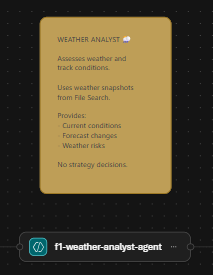
The Weather Analyst follows exactly the same pattern. For the demo it uses sample weather snapshots stored in Foundry.
In production I’d expect this to consume a weather API or another internal service that publishes current and forecast track conditions. Again, the AI isn’t responsible for gathering data but is responsible for interpreting it.
Strategy Reviewer
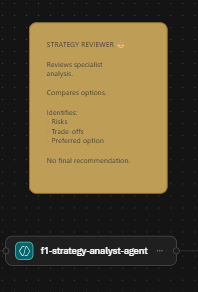
Rather than making decisions, it acts as a synthesiser. It reviews the findings from the specialist agents, compares options, highlights trade-offs and identifies risks. Importantly, it doesn’t recommend a final action, its job is simply to organise the evidence.
Race Engineer

The Race Engineer consumes the Strategy Reviewer’s output and proposes a single recommendation.
This might be something like:
Pit this lap.
or
Stay out for another three laps.
It also explains why that recommendation has been made and assigns a confidence level. Again, it’s making a recommendation, not executing a decision.
Human in the Loop
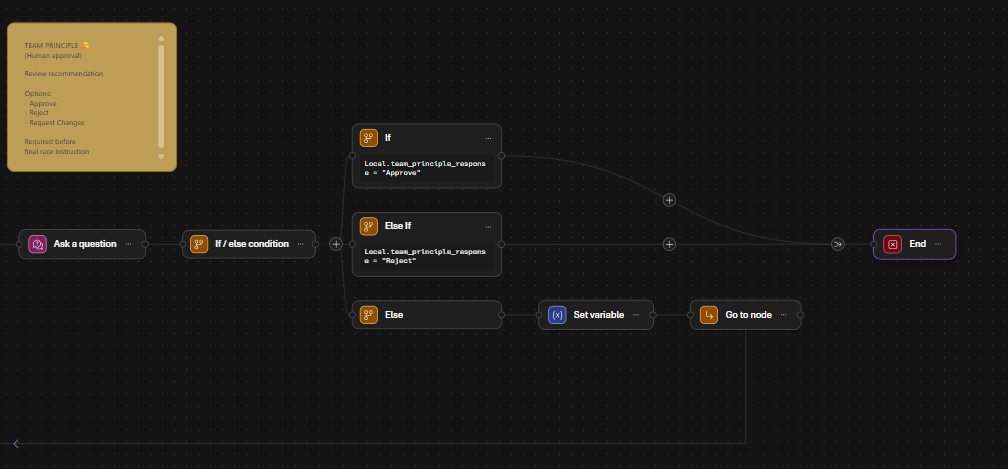
This was the part I most wanted to include. After the Race Engineer has produced its recommendation, the workflow pauses and asks the Team Principal to review it.
There are three possible outcomes:
- Approve
- Reject
- Request Changes
This introduces a deterministic approval step into an otherwise probabilistic workflow.
Although this is wrapped up in an F1 example, it’s actually the same pattern I’d expect to see in lots of enterprise systems.
Whether you’re approving an insurance claim, recommending a healthcare treatment, or suggesting an investment decision, I’d much rather see AI supporting a human than replacing one.
Grounding the AI
Each specialist agent uses Retrieval Augmented Generation (RAG). If you haven’t come across RAG before, it’s essentially a way of giving an LLM access to your own data rather than relying purely on what it learnt during training.
In my case I uploaded a few PDF race snapshots directly into Foundry. Foundry handles chunking the documents, creating embeddings and building the search index behind the scenes. The agents then retrieve the relevant information before generating their response. It’s a really nice developer experience!
What surprised me
The biggest shift for me wasn’t the AI itself, it was where the orchestration lives. With Route Sniffer m(a previous project of mine), my application owns everything.
With Foundry, the orchestration, prompts, tools, workflows and guardrails all live inside the platform instead. Your application simply calls the workflow, which feels like quite a different mental model.
If I were building this for real…
This project is very much a learning exercise, but it did get me thinking about what a production implementation might look like.
The AI would almost certainly sit on top of a deterministic software pipeline.
Something like:
Car Sensors
      │
      ▼
Kafka / Event Hub
      │
      ▼
Stream Processing
      │
      ▼
Structured JSON
      │
      ▼
Tyre Analysis Service
      │
      ▼
Azure AI Foundry Workflow
      │
      ▼
Human Approval
The AI shouldn’t be responsible for parsing raw telemetry. It should consume well-structured, validated information produced by traditional software. That’s probably the biggest thing I’ve taken away from this project: Modern AI systems aren’t replacing software engineering but are combining deterministic software with probabilistic reasoning.
Final thoughts
I really enjoyed building this. Azure AI Foundry feels like a powerful platform for rapidly prototyping and orchestrating AI systems, and I came away with a much better understanding of where it fits in the Azure ecosystem.
It’s still evolving (I definitely found a few rough edges that I’ll probably write about separately!), but I can absolutely see why Microsoft are investing heavily in this space.
Most importantly, it reinforced something I’ve found with every AI project I’ve built so far: The interesting part isn’t calling a model, it’s designing the system around it.. And this is where software engineering experience is still extremely valuable.
Thanks for reading!
If you’ve been experimenting with Azure AI Foundry yourself, I’d be interested to hear what you’ve been building 😀.